
Help4 Builder Suite Plugin
Why it exists
Think blank theme plus the controls customers expect from mature builders.
The theme stays lean. The plugin brings the page building, advanced content fields, slider tools, commerce engine, icon defaults, operations modules, and starter structure customers expect without forcing every asset onto every page.
Starter templates
Service pages, lead capture, commerce support, agency overflow, speed, malware, maintenance, local SEO, and product-page starter specs.
Advanced fields
Field groups, conditional logic, repeaters, groups, galleries, relationships, and dynamic rendering support richer sites than plain pages.
Compartment modules
SEO, performance, forms, commerce, search, sliders, security, and support tooling stay modular so unused CSS and JS do not have to ride every page.
| User need | Builder Suite answer | Plain-English benefit |
|---|---|---|
| I need a page quickly | Starter template specs and reusable sections | Start from a real page type instead of a blank white screen. |
| I need the site to match | Theme/template controls | Headers, footers, and reusable sections stay consistent. |
| I need custom data | structured field groups, repeaters, and dynamic output | Complex content can be edited cleanly without custom one-off admin screens. |
| I need motion and sliders | Slider module with transitions, motion settings, and shortcode output | Hero sliders and promo sections can be built without dragging slider assets onto every page. |
| I need products | Help4 Commerce catalog, variations, subscriptions, and payment routing | Stores can scale past tiny product lists while checkout stays connected. |
| I need SEO, speed, and security | Built-in metadata, performance, image, security, and form modules | The page can be built to rank, load, convert, and stay safer. |
Free install path
Install Help4 Builder Suite without making customers decode WordPress.
Download the current Builder Suite package, upload it through the normal WordPress plugin installer, activate it, then run the setup wizard. The blank theme is the clean base when you want the builder to control layouts without fighting a heavy theme.
1. Download the plugin
Use the current Help4 Builder Suite ZIP. Keep latest.zip bookmarked if you always want the current public release.
2. Upload in WordPress
Go to Plugins, Add New, Upload Plugin, choose the ZIP, install, and activate. No command line is required for the free install path.
3. Run the wizard
The setup wizard lets a site owner choose commerce, forms, SEO, security, performance, LMS, templates, and other modules before the site gets cluttered.
4. Build the first page
Open Builder Pages, choose a page, and launch Builder Studio. Add layout first, then content blocks, then responsive cleanup.
Download Builder Suite Download Blank Theme Open Install Guide
Default screens
These are the screens a fresh Help4 Builder install gives you.
The tutorial now shows the actual admin surfaces from the beta install: settings, setup wizard, page picker, and Builder Studio. It is meant to help a new user know what they should see after activation.
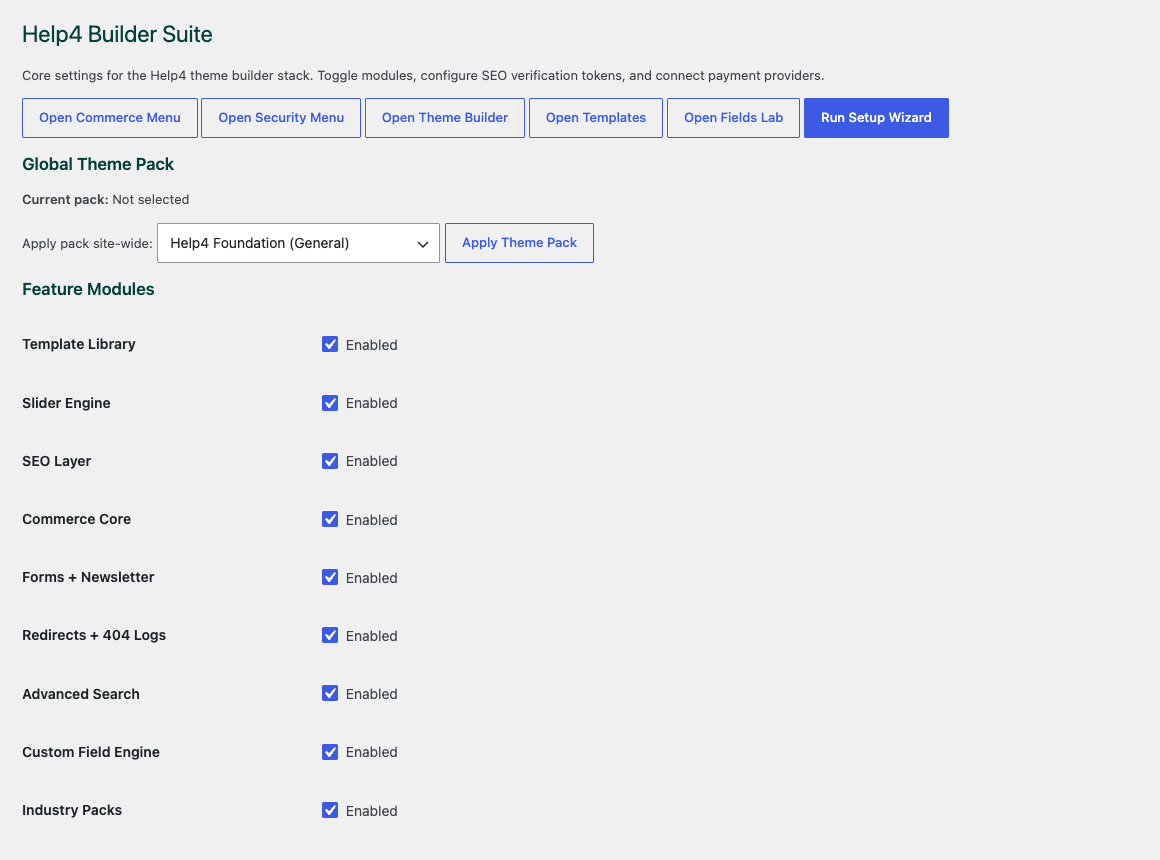
Settings dashboard
Toggle modules, apply a starter theme pack, and jump into commerce, security, templates, fields, or the setup wizard.
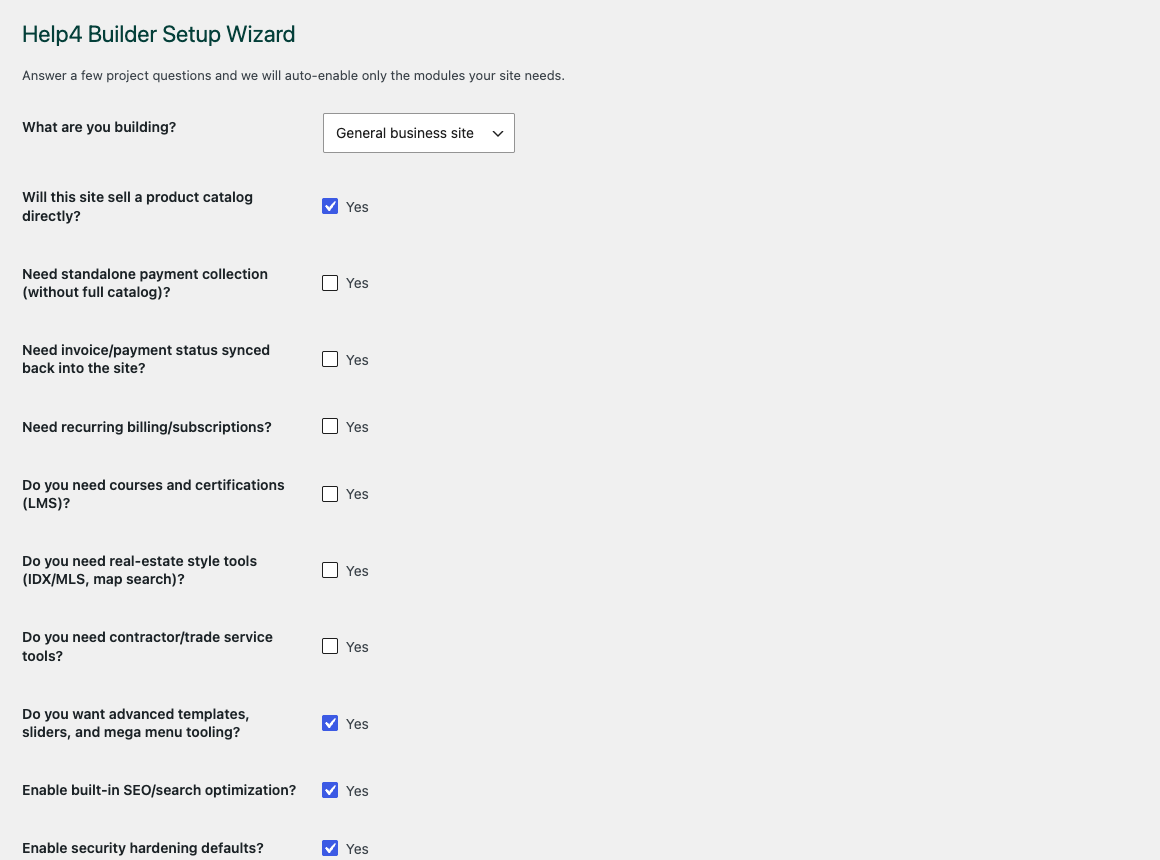
Setup wizard
Choose the site profile before enabling everything. This keeps CSS, scripts, and feature modules from loading where they are not needed.
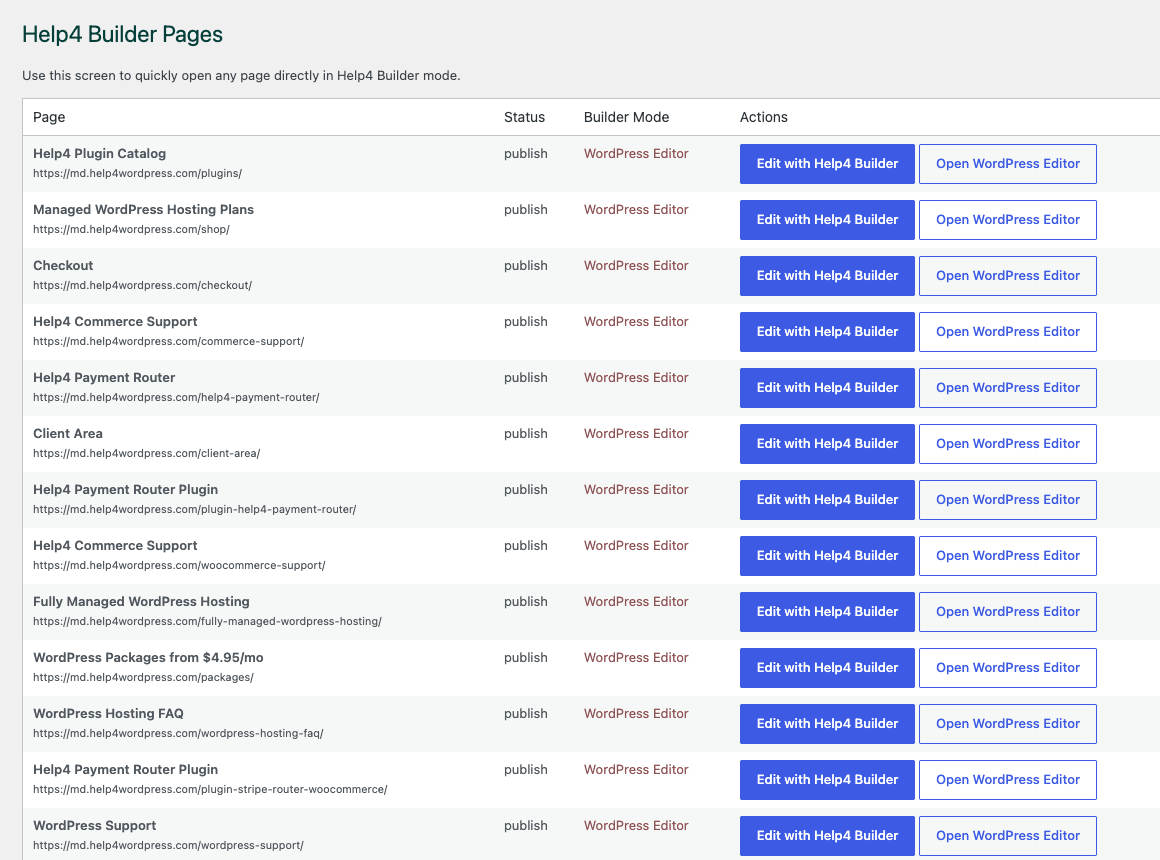
Builder Pages
Open any page directly into Help4 Builder mode instead of searching through WordPress screens.
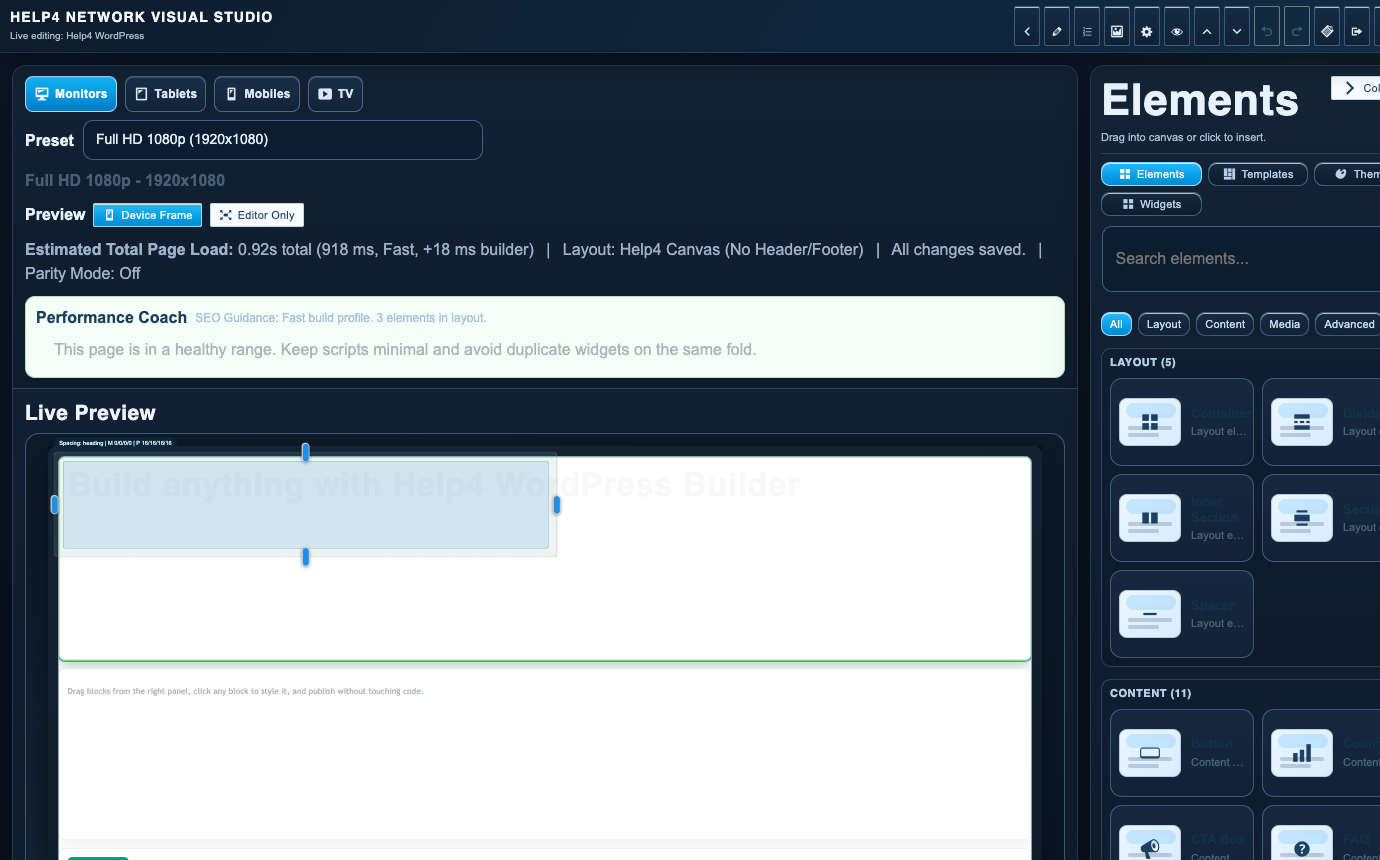
Builder Studio
The default canvas starts with layout tools, responsive presets, performance guidance, and an element library ready for the first page.
WordPress 6 to 7 readiness
Production stays stable while md tests the WordPress 7 release-candidate track.
Live Help4 WordPress stays on production WordPress. The md beta track is already running WordPress 7.0-RC2 so Builder Suite, Help4 Blank, templates, redirects, forms, commerce, SEO, and admin screens can be tested before the next core upgrade reaches customer sites.
Live is production
The public site should run stable WordPress, stable package links, and the current non-beta Builder Suite release.
md is the upgrade lab
The beta site exists to catch WordPress 7 changes early: admin UI changes, editor changes, REST behavior, PHP notices, scripts, templates, and asset loading.
Smooth upgrade plan
Before moving a customer from WordPress 6 to 7, Help4 checks plugin updates, theme output, forms, checkout paths, redirects, cache purge, rollback, and mobile rendering.
RCs belong on test sites
WordPress release candidates are for testing, not production. Help4 keeps that line clear by testing on md first and promoting only after checks pass.
Beginner FAQ
Plain answers for customers who just want the site handled.
Is Help4 Builder Suite free to install?
Yes. You can download the public ZIP and install it through WordPress. Help4 services are there when you want setup, page builds, hosting, support, or managed upgrades handled for you.
Do I need the blank theme?
Use Help4 Blank when you want a quiet base that lets Builder Suite handle templates and layout. Existing themes can work, but heavy theme styling may require cleanup.
What should I do first after activation?
Run the setup wizard, pick the modules the site actually needs, then open Builder Pages and launch Builder Studio on a draft page.
Will it help with WordPress 7?
The beta track is already testing against WordPress 7.0-RC2. The goal is smooth upgrades from WordPress 6 to 7 with fewer surprises for customers.
Want Help4 to build with it?
Send the design, rough idea, or competitor example.
Help4 can use the builder stack to turn a sketch, screenshot, copy doc, or existing site mess into finished WordPress pages.